General
The General tab holds the site-wide basics that don't belong to a single feature: the content width, breadcrumbs, attachment pages and excerpts. It is the second tab of the Settings panel, under Themeasy → Settings.
Its fields are grouped into four accordion sections: Layout, Breadcrumbs, Attachment Pages and Excerpt. Every field works on its own — none of them shows or hides another. Click Save Changes to apply your changes; a "Settings saved." notice appears when they're saved.
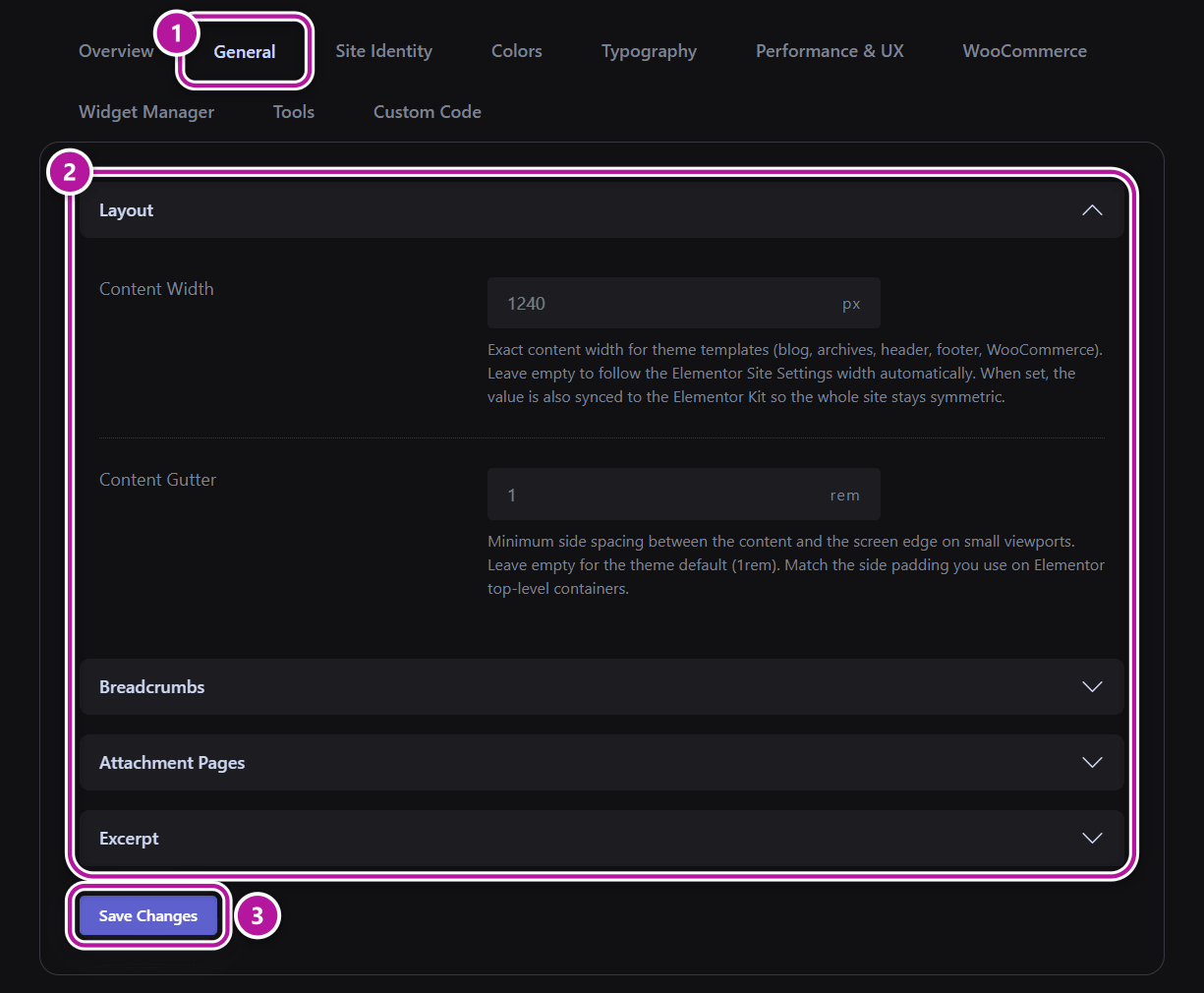
Layout
These two fields control how wide your content is and how close it gets to the edge of the screen.
| Field | What it does | Range | Default |
|---|---|---|---|
| Content Width | The exact content width, in pixels, for the theme's own templates: blog, archives, header, footer and WooCommerce. | 480 to 1920, in steps of 10 | Empty |
| Content Gutter | The minimum space between the content and the edge of the screen on small screens, in rem. | 0 to 5, in steps of 0.25 | Empty |
Both fields start empty, which means "follow the default". The grey number shown inside each empty field (1240 and 1) is only a hint, not a saved value.
Content Width
- Left empty, the theme's templates follow the content width set in Elementor's Site Settings → Layout → Content Width, so they always match your Elementor pages.
- With a value, the theme's templates use exactly that width, and the same value is written into Elementor's Site Settings, so the whole site lines up. See Global colors & fonts sync.
Clearing the field does not undo the change in Elementor
If you empty Content Width later, Elementor keeps the last width that was written to it, and the theme goes back to following Elementor. From then on, change the width in Elementor's Site Settings — or enter a new value here.
Content Gutter
The gutter only comes into play when the screen is narrower than your content: on wider screens the content keeps its exact width. Leave the field empty for the theme default of 1rem.
Tip
Use the same value as the side padding of your top-level Elementor containers, so theme templates and Elementor pages keep the same distance from the screen edge on phones.
Breadcrumbs
| Field | What it does | Default |
|---|---|---|
| Enable Breadcrumbs | Shows the theme's breadcrumb trail at the top of the content area. | On |
A few things to know about this switch:
- It also controls the breadcrumb trail on your WooCommerce shop and product pages.
- A single page can override it. In Elementor, open Page Settings, go to the Advanced tab and, under Performance & UX, set Breadcrumbs to Inherit, Enable or Disable — see Per-page settings.
- The Breadcrumbs widget is not affected. A trail you placed yourself with the widget keeps showing — see Content & site widgets.
- A Before Content Global Section takes the place of the theme's breadcrumbs wherever it is displayed, whatever this switch says — see Section types.
Attachment Pages
WordPress creates a standalone page for every file in your Media Library. These "attachment pages" carry almost no content, which is why they are usually kept away from visitors and search engines.
| Field | What it does | Default |
|---|---|---|
| Redirect Attachment Pages | Permanently redirects each media attachment page to the post or page the file is attached to, or to the homepage when the file is not attached to anything. Recommended for SEO. | On |
With the switch off, the theme steps aside and WordPress handles attachment pages its own way.
Excerpt
These fields shape the excerpts WordPress generates automatically — the short previews in your blog, archive and search listings.
| Field | What it does | Range | Default |
|---|---|---|---|
| Excerpt Length | The maximum number of words in an automatically generated excerpt. Drag the slider to set it. | 1 to 200 words | 30 words |
| Excerpt Suffix | The text added to the end of an automatically generated excerpt. HTML entities such as … are allowed; tags are stripped. |
— | … (an ellipsis) |
These two settings apply on your site's front end, and only to automatic excerpts: they do not shorten or change an excerpt you write by hand in a post's Excerpt box.
Back to the Settings panel overview.
Was this article helpful?