Content & site widgets
These are the everyday building blocks. They're organized into six content categories — Text & Typography, Images & Media, Elements, Blocks & Cards, Sliders & Showcase and Data & Conversion — plus Site Utilities for site-wide helpers such as breadcrumbs and a scroll-to-top button. Each table below follows the order of the Elementor panel.
Which widgets you have
- Free marks the 18 essential widgets included in Themeasy Lite, where they appear together in a single Themeasy — Essentials category.
- Every other widget in the six content categories comes with Themeasy Widgets, Pro and Agency, in any theme. The one exception is Form, which needs Pro or Agency.
- Site Utilities is part of Pro and Agency.
On Themeasy Widgets, Pro and Agency, many of these widgets also take entrance and hover animations from Themeasy Motion. For the full plan comparison, see Themeasy widgets for Elementor.
Themeasy — Text & Typography
| Widget | What it's for |
|---|---|
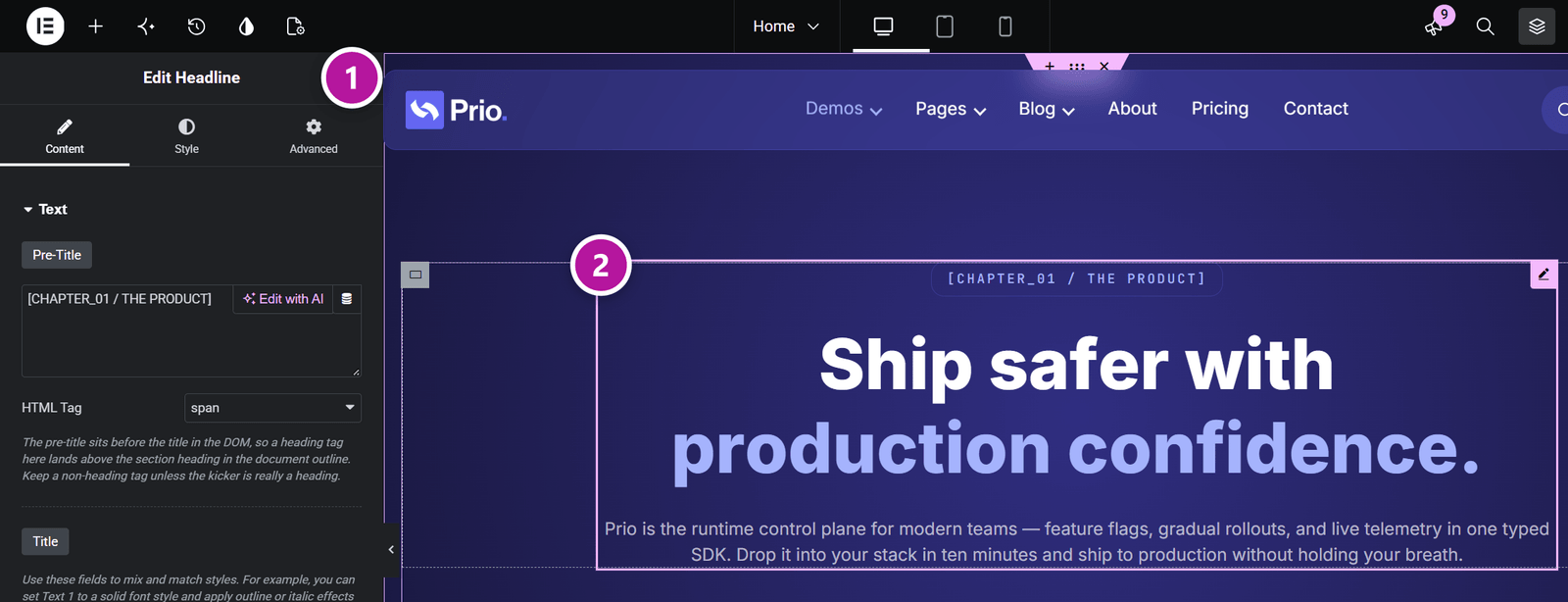
| Headline | An intro block with a pre-title, a title in up to three individually styled parts, and a description — with outline, gradient and image-filled text styles. |
| Section Intro Free | A section opener: eyebrow, title, description and up to two buttons, in five layouts with optional frames and a divider. |
| Text Editor | A rich-text block with max-width, multi-column and drop-cap controls. |
| Blockquote Free | A pull quote with a decorative quote mark and an author or source line, in three editorial styles. |
| Highlighted Text | Running text with hand-drawn annotations — marker highlight, underline, circle, box, strike-through or arrow — that draw themselves on scroll. |
| Typed Text | A heading that types and retypes a list of phrases, typewriter-style. |
| Text Reveal | Large text that starts muted and fills with color, word by word or letter by letter, as you scroll. |
| Text Scramble | A decoder-style headline whose characters shuffle before they resolve, optionally rotating through several words. |
| Code Terminal | An animated terminal window that types commands and reveals their output, with a copy button. |
| Spotlight Hero | A hero headline lit by a spotlight that follows the cursor, with an eyebrow, description and button. |
| Text Marquee | A line of text that scrolls sideways continuously, with direction, speed and pause-on-hover. |
| Scrolling Text | Two lines of text that drift sideways as the page scrolls, optionally over a background image. |
| Diagonal Ribbon Marquee | Two text ribbons crossed in an X, looping in opposite directions and speeding up as the page scrolls. |
| Circular Text | Text set around a rotating circle, with an optional icon in the center. |
| Table of Contents | An automatic list of the page's headings that highlights the section being read; it can stick in place and collapse. |
Themeasy — Images & Media
| Widget | What it's for |
|---|---|
| Image Free | A single image with an optional caption and overlay, and a lightbox or custom link. |
| Gallery | An image grid with category filters, a lightbox and text overlays. |
| Bento Gallery | A photo mosaic of tiles in mixed sizes, with captions, a lightbox and scroll parallax. |
| Image Shapes | One or more images cut into preset shapes — blobs, arches, squircles — that morph on hover, in a grid or a free-form montage. |
| Device Showcase | A screenshot or video framed in a browser, laptop or phone mockup, with an optional companion phone. |
| Video Free | A YouTube, Vimeo or self-hosted video behind a designed poster and play button; it plays in place or in a lightbox. |
| Audio Player | A custom audio player for podcasts and music, with a playlist, skip buttons and playback speed. |
| Image Carousel | A sliding carousel of images with arrows, dots and a lightbox or custom links. |
| Image Accordion | Image panels that expand on hover or click to reveal a title, description and button. |
| Before / After | Two images compared with a draggable divider, horizontal or vertical. |
| Hotspot Image | An image with pins that open tooltips on hover or click. |
| Image Reveal | An image that enters with a reveal animation as it scrolls into view. |
| Image Hover Scroll | A tall image in a fixed-height frame that scrolls on hover to reveal the rest — handy for long page screenshots. |
| Image Marquee | A continuously scrolling strip of images. |
| Image Distortion | An image that changes into a second one through a liquid, glitch or smoke distortion on hover. |
| Image Trail | A hero section where moving the cursor scatters a trail of images around a centered title and button. |
| Parallax Tilt | An image that tilts in 3D or floats in response to the cursor, with an optional glare. |
| Lottie Animation | A player for Lottie (JSON) animations that starts on load, in view, on hover or on click. |
Themeasy — Elements
| Widget | What it's for |
|---|---|
| Button Free | A button in several styles — solid, outline, gradient and more — with an icon; it links to a URL or opens a video in a lightbox. |
| Slide Button | A call-to-action button whose label slides away on hover while a second label slides in. |
| Content Switch | A two-option switch, in the "Monthly / Yearly" style, that shows one of two containers on the page. |
| Icon Free | A single icon with a shape, a solid or gradient color and an optional link. |
| Icon List Free | A vertical or horizontal list whose items each have an icon, text and an optional badge, counter and link. |
| Badge List | A row of small tags, chips or pills, each with an optional link. |
| Social Proof | A trust badge: overlapping avatars, a star rating and a counting message such as "2,400+ happy customers". |
| Divider Free | A separator drawn as a line, a row of dots or a shape — wave, zigzag, curve and more. |
| Social Share Row | Share buttons for X, Facebook, LinkedIn, WhatsApp and email, plus Copy Link, as a row or a vertical rail. |
| Social Profiles Free | A row or column of links to your social profiles, in filled, outline or minimal style. |
| Site Search | A search form with design presets and optional filters by post type and category. In a header, it goes inside the search panel — see Header & footer widgets. |
Themeasy — Blocks & Cards
| Widget | What it's for |
|---|---|
| Card Free | A content card with an icon or image, title, description and a button or whole-card link. |
| Card Extended | A richer image card with a vertical label, an overlay icon and an icon list or star rating. |
| Flip Box | A two-sided card that flips, slides or fades to its back on hover or click. |
| Call to Action Free | A promo block with a headline, text and up to two buttons — as a banner, a cover image or a split layout — and an optional ribbon. |
| Team Member Free | A profile card with a portrait, name, role, short bio and social links. |
| Testimonial Free | A customer quote with a photo, name, role, star rating and optional company logo. |
| Testimonial Carousel | A sliding set of testimonials with arrows and dots. |
| Testimonial Wall | A "wall of love": columns of testimonials that scroll in an endless loop and pause on hover. |
| Client Logos | Brand logos as a grid, a carousel or a marquee, with links and hover effects. |
| Logo Wall Free | A static wall of brand logos framed by thin shared borders, with hover effects. |
| Accordion Free | Stacked collapsible panels, with one or several open at a time. |
| FAQ Accordion | An editorial FAQ with large questions, optional numbering and an animated plus/minus indicator. |
| Tabs | Tabbed panels filled with custom content, a saved template or a shortcode — and, with WooCommerce, a product's attributes or reviews. |
| Nested Tabs | Tabs whose panels are real containers: drag any widget into each tab right on the canvas. |
| Steps Free | A sequence of connected steps with icons or automatic numbers, horizontal or vertical. |
| Timeline | A vertical timeline of events with icons. |
| Horizontal Timeline | A draggable horizontal timeline of dated milestones with a progress line. |
| Bento Grid | A mosaic of feature tiles in mixed sizes, each with an image, icon, title and link; one tile can be featured. |
| Hover Reveal List | A full-width list of headings; hovering a row reveals its image, which follows the cursor. |
| Feature Orbit | Features arranged on a slowly rotating ring around a central badge. |
On Pro and Agency, Vertical Megamenu is also listed at the end of this category, so you can place it in a hero next to a banner. It's described in Header & footer widgets.
Themeasy — Sliders & Showcase
| Widget | What it's for |
|---|---|
| Slider | A full-screen hero slider; each slide has a background image, pre-title, title, description and up to two buttons. |
| Immersive Slider | A full-width hero slider whose images change through liquid, wave or zoom transitions while the text animates in. |
| 3D Coverflow | A 3D carousel where the side slides rotate back in depth around a centered active slide. |
| Card Deck | A stack of cards you swipe or drag away one at a time, in an endless loop. |
| Horizontal Showcase | A section that pins while you scroll and moves a row of full-height panels sideways, with a progress bar. |
| Infinite Drag Canvas | An endless plane of images that visitors drag in any direction. |
| Scroll Stack | Cards that pin and stack over one another as you scroll, with a progress rail. |
| Sticky Scroll-Sync | A pinned media column that changes in step with a scrolling list of steps — the "scrollytelling" pattern. |
| Sticky Zoom Hero | A hero whose media starts as a rounded card and expands to full width as you scroll. |
| Liquid Hero | A hero banner whose background image distorts under the cursor, with fluid, glitch and smoke effects. |
| Scroll Sequence | A pinned stage that plays image scenes or a frame-by-frame sequence as you scroll, with chapter text. |
Themeasy — Data & Conversion
| Widget | What it's for |
|---|---|
| Counter | A number that counts up as it scrolls into view, with a title and a unit. |
| Star Rating | A row of stars with a precise partial fill, the numeric value and a caption. |
| Line Progress Bar | A horizontal progress or skill bar that fills as it enters view. |
| Radial Progress Bar | A semi-circular progress gauge with an animated number. |
| Animated Chart | A bar, donut or line chart drawn from a simple list of values. |
| Pricing Table Free | Pricing plans with feature checklists, a monthly/yearly price toggle and a featured badge. |
| Price List | A price menu for restaurants, salons and services: rows of title, description and price joined by a dotted line. |
| Comparison Table | A plan-versus-feature matrix with checks, crosses or text values, and a highlighted plan. |
| Countdown Timer | A countdown to a fixed date, or an evergreen timer per visitor, shown as boxes, inline or circles. |
| Business Hours Free | An opening-hours list that highlights today, with an optional live Open/Closed badge. |
| Form | A Contact Form 7 form restyled with Themeasy's design presets. Needs the Contact Form 7 plugin; it comes with Pro and Agency (not Themeasy Widgets), and the form styling runs on a Themeasy theme. |
| Maps | A Google Map with preset styles and custom markers. Needs your own Google Maps API key, entered in the widget. |
| Modal Popup | A button, link or image that opens a popup with rich text or a saved template; it can also open on page load. |
The Form widget has its own guide
Picking a form, the design presets and the ready-made form templates are covered in Forms with Contact Form 7.
Themeasy — Site Utilities
Site-wide helpers, included with Pro and Agency. This category appears while you edit a Global Section — a header, footer or content section — because that's where a site-wide element belongs, rather than on a single page.
| Widget | What it's for |
|---|---|
| Breadcrumbs | A breadcrumb trail built from the current page, with search-engine markup and several separator styles. |
| Notification Bar | An announcement bar with a button, display triggers and a dismiss option. |
| Notice Box | A floating notice with a button or coupon code, shown after a delay, on scroll or on exit intent; it remembers when a visitor dismissed it. |
| Scroll to Top | A floating back-to-top button with a scroll-progress outline. |
| Side Icons | A floating bar of icons with links and tooltips, pinned to the left or right edge of the screen. |
| Side Label | A vertical label fixed to the left or right edge, with an optional icon and link. |
| Cursor | Replaces the mouse cursor with a custom animated circle and dot, on devices with a mouse. |
Breadcrumbs is also listed under Themeasy — Post & Portfolio, so you can reach it on regular pages too.
Tip
Don't need a widget? On Pro and Agency you can hide it from the panel in the Widget Manager, so you only see the ones you use.
Where to go next
Head back to Themeasy widgets for Elementor, or explore the Post & Portfolio widgets that pull in live content.
Was this article helpful?