WooCommerce widgets
The Themeasy — WooCommerce widgets are dynamic store widgets: they pull live products from your catalog, so a layout you design once always shows your current products. They're what you build store layouts with — on a landing page, in a mega menu or inside a Global Section.
Before you start
This category needs three things:
- WooCommerce installed and active — without it the category doesn't appear.
- A Themeasy theme — these widgets render with the Themeasy storefront, which runs on a Themeasy theme.
- Pro or Agency (or a Themeasy theme with an active license).
Themeasy — WooCommerce
| Widget | What it's for |
|---|---|
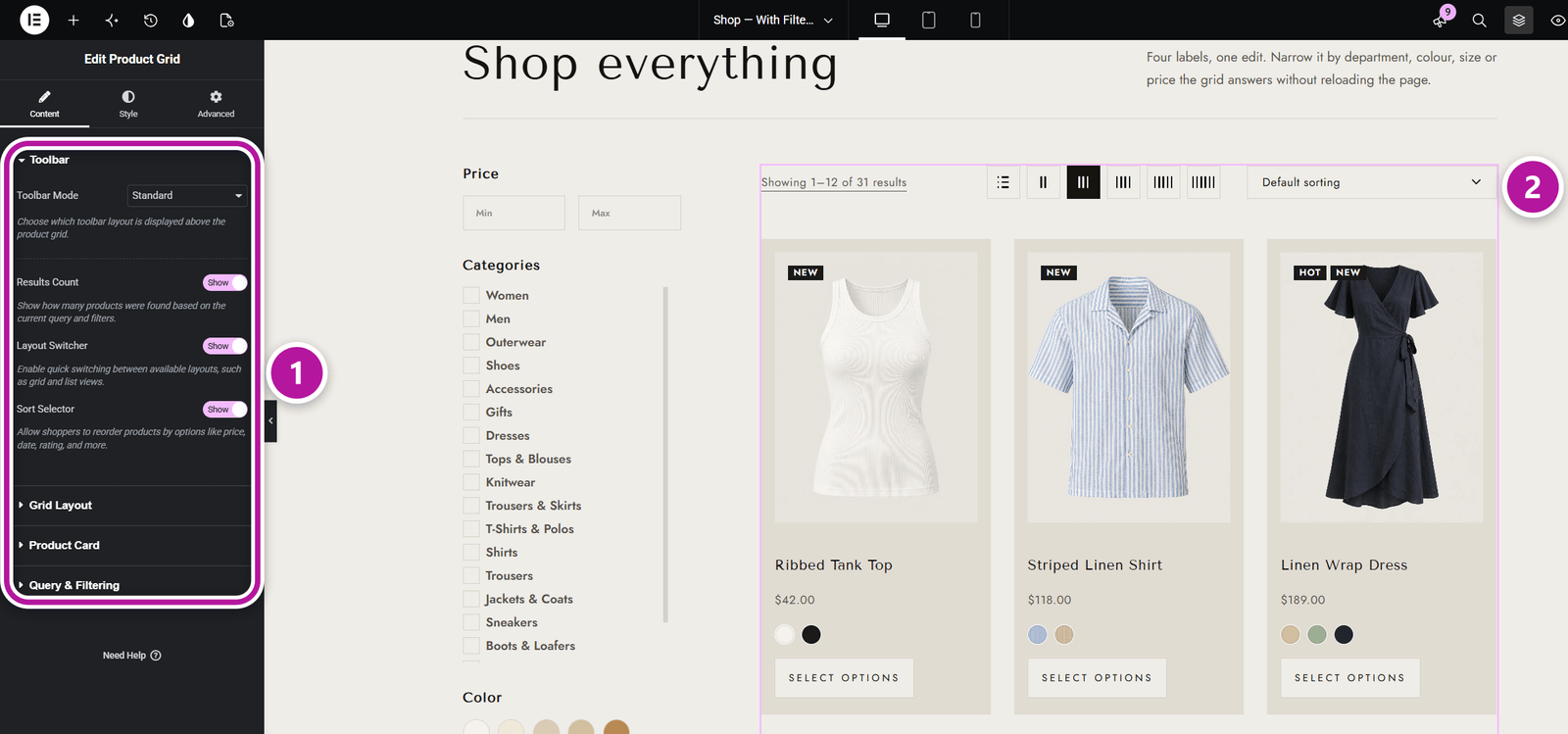
| Product Grid | A grid of products with query controls, a toolbar (standard or category filter), several pagination types and options for what each product card shows. |
| Product Carousel | A sliding carousel of products with query filters, arrows and dots. |
| Product Categories Carousel | A sliding carousel of your product categories, with text overlays. |
| Product Single | One product — gallery and summary — in a compact view. It shows a product you choose or the product being viewed. |
| Product Attributes | The "Additional information" table — weight, dimensions and attributes — of the product being viewed. |
| Product Reviews | The reviews list and the review form of the product being viewed. |
| Ajax Product Filter | The live product filter — price range, categories and attributes — with parts you can reorder or hide. |
Build a product page with tabs
Product Attributes and Product Reviews exist so you can lay out a product page your own way. Add a Nested Tabs widget (in Themeasy — Blocks & Cards), then drop each of them into the tab where it belongs, next to any other widget you like.
Both follow the product being viewed:
- In the editor, where there's no product on screen, they preview your latest published product that has attributes or reviews, so you can style them.
- On the live site they show nothing outside a product page. Product Reviews also stays empty for a product with reviews turned off.
Related widgets in other categories
A few store widgets live outside this category:
| Widget | Category | What it's for |
|---|---|---|
| Mini Cart and Mini Cart Toggle | Header | The cart panel and the cart button with its live counter. |
| Shop Toggle | Header | A link to the Wishlist, Compare or My Account page. |
| Currency Switcher | Header | A currency selector for multi-currency stores. |
| Tabs | Blocks & Cards | Tabbed panels that can show a product's attributes or reviews. |
See Header & footer widgets and Content & site widgets.
Tip
Product Grid and Product Carousel choose what each card shows in their own Product Card settings. The Wish List and Compare switches appear there only while the WPC Smart Wishlist and WPC Smart Compare plugins are active. For how the shop, cart and product pages behave overall, see Themeasy for WooCommerce.
Where to go next
Head back to Themeasy widgets for Elementor, or see the Post & Portfolio widgets for blogs and other dynamic content. To reuse a store layout across pages, start with Global Sections.
Was this article helpful?